3.2
Free
Dribbble
Open-Source Community of Online Graphic Designers
What will happen when you click Free Download?
Free
Windows
Other platforms (2)Windows XP
English
1.5M

The ultimate hub for short-form digital creativity

A full version app for Windows, by webrox.
Free Application to Download High-Definition Audio and Video Files

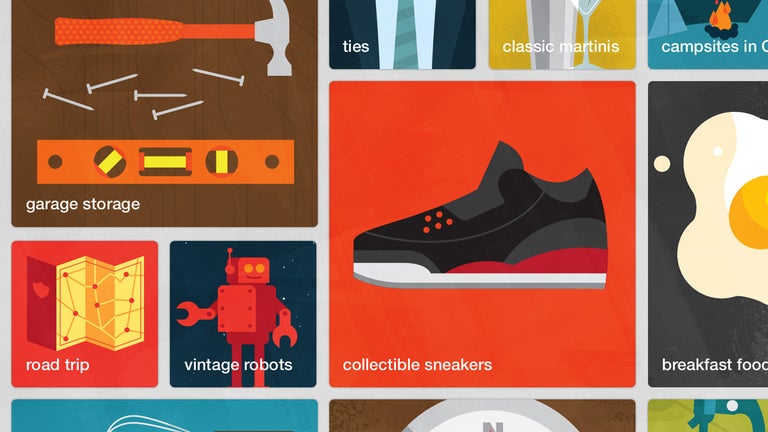
A free personalized inspiration hub
A full version app for Windows, by webrox.

A free program for Windows, by Purple Martin.

A full version program for Windows, by SecurityDevelopment.

A free program for Windows, by Purple Martin.
Pinterest is a visual bookmarking service that is free for both individuals and businesses. As the platform’s ability to generate revenue is dependant on having a large user base, it’s unlikely that they will begin charging users to create accounts in the future.
Pinterest is a highly reputable business, and use of their website is unlikely to give you a virus. However, it is possible to click on pins that lead to sites hosting malicious content, such as viruses or malware. Pinterest does not monitor the integrity of linked websites, so always be careful when leaving the main site. When using browser extensions to increase the site’s functionality, only download and install extensions from sites you trust.
Boards are collections of pins organised into separate categories. Boards, which can be public or private, typically contain pins related to a particular theme. Pins can be organised within boards by adding “sections,” allowing you to group your pins by sub-category.
Both boards and the pins contained within the boards can be reorganised. To organise your boards, simply go to your main profile and drag and drop your boards into a new order.
Pinterest does not offer the option to automatically sort boards alphabetically. There are unofficial browser extensions that may be able to alphabetise boards; however, these extensions are not endorsed by Pinterest and should be used with caution. Alternatively, you can manually organise your boards alphabetically by dragging and dropping them into the desired order.
While there is no way to make an account completely private, there are options to make your Pinterest account less visible to search engines. Users also have the ability to create secret boards; these boards are not visible to other users unless they are invited to access them.
Rich Pins are pins enhanced with added information or functionality above that of normal pins. The types of Rich Pins currently available are App Pins, Article Pins, Product Pins, and Recipe Pins.
Yes, like many other social media sites, Pinterest uses hashtags. Hashtags included in a pin’s description are clickable, while other hashtags – such as those in board titles, board descriptions, or account descriptions – are not. Users can search hashtags in the search bar to discover more pins and boards related to that topic.
The impression metric represents the number of times your pin has appeared in other users’ search results, home feeds, and category feeds; combined, they approximate the number of times your pin has been viewed. Impression data, which is only available when using a business account, can be accessed through the Pinterest Analytics section.
No, it is not possible to see who views pins or boards. Users with a business account are able to access more detailed information about their audience; however, that does not include the ability to see which users are viewing their pins or boards.

Share gaming clips the easiest way
A free program for Windows, by Purple Martin.

An acceptable alternative video editor

Simple player for everyday video viewing
A full version program for Windows, by SecurityDevelopment.
Free Application to Download High-Definition Audio and Video Files
A simple tool for layered photo blends
Free Application to Create Posters and Similar Advertisements

A free app for Windows, by Purple Martin.
Logo Maker with Graphic Design and Ads Designer - Create Your Own Logos In Minutes For Free

A free app for Windows, by DreamLights Apps.